
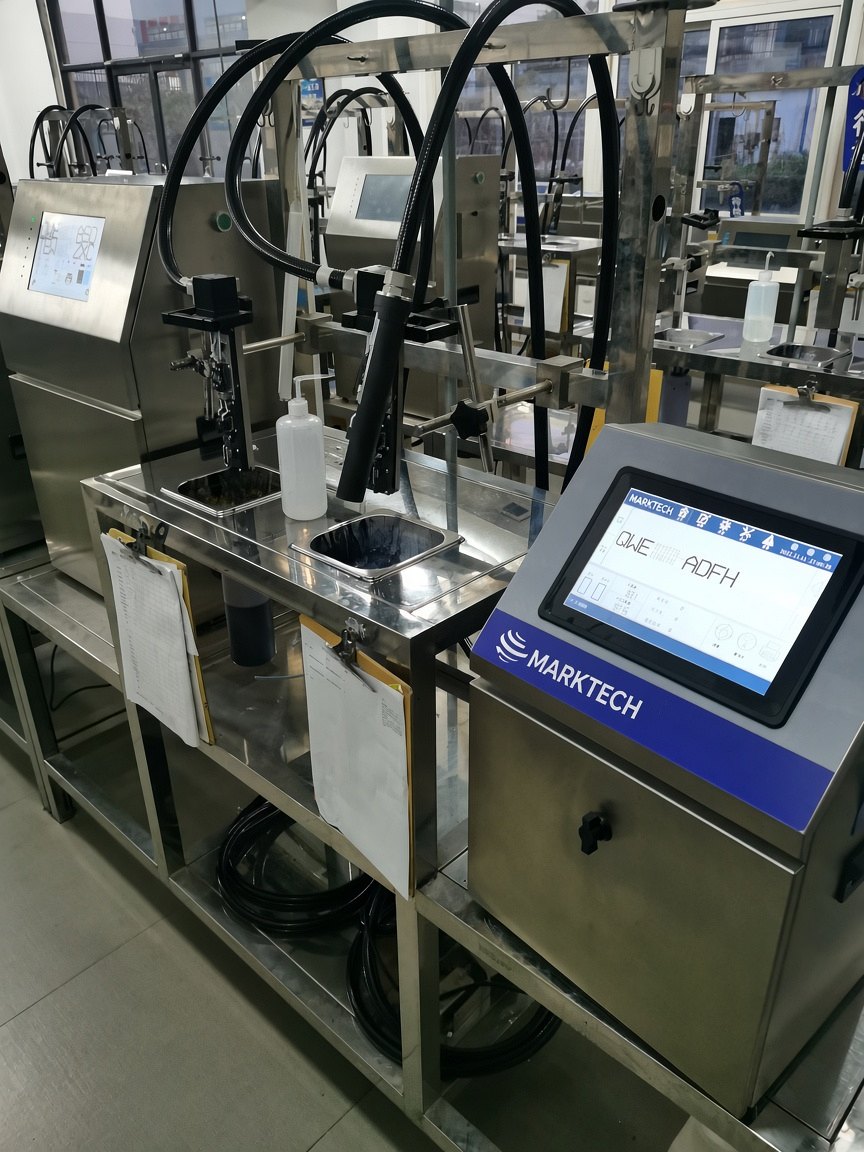
A successful install depends as much on line signals and mounting as on the printer model. This checklist summarizes the interfaces MARKTECH publishes for its platforms and the questions we typically ask before a machine goes on a conveyor or into a packaging frame. It is a planning aid, not a certification, a wiring diagram, or a substitute for the configuration agreed with sales and your integrator.
1. Product detect (photocell or sensor)
Cx-series and RX680 printers include a sensor input. Laser platforms may be specified with a photodetector. Confirm where the product-detect device will sit, how far it is from the print or mark position, and whether the pack or part presents a reliable leading edge. Inconsistent detect timing is a common cause of shifted or missing codes.
2. Encoder for variable line speed
An encoder input is published on Cx-series and RX680 CIJ printers and on laser platforms that list encoder I/O. Use it when line speed changes and character pitch or mark placement must stay consistent — typical on conveyors, fillers, and extrusion or cable lines. Confirm encoder resolution, mounting, and the direction of travel relative to the printhead before the mechanical design is frozen.
3. Alarm and discrete I/O
Cx-series I/O includes sensor, encoder, alarm, USB, RS485, Ethernet, and general I/O. The H200 Series provides an alarm output and communicates over USB, RS232, and Ethernet. DH200 TTO literature lists NPN/PNP I/O. Agree in advance which faults should stop the line, light a beacon, or simply be logged, and confirm the voltage and sourcing or sinking convention with the machine builder.
4. MODBUS and higher-level data
Cx-series printers support MODBUS and PC or phone remote control, alongside Ethernet and RS485. The H200 Series can receive variable data over Ethernet or RS232. If unique serials or recipe changes must come from a PLC or line controller, document the data path early — see also serialization. MODBUS capability is not a claim that a particular PLC project is already commissioned.
5. Site conditions to confirm
- Mounting space and print distance — Cx-series print distance is up to 30 mm from printhead to material; controller size for Cx models is 370×310×510 mm.
- Environment — Cx-series published range is −5°C to 45°C; H200 operating temperature is 0–60°C. Cx cabinets are IP55 stainless and do not require plant air. The 4005 publishes IP54 on the print head only.
- Power — Cx series: single-phase 100–250 V; H200 Series: 110–240 VAC, 50/60 Hz, 75 W.
- Consumables access and service clearance so cartridges, ribbons, or filters can be changed without dismantling the line.
When you contact sales, include substrate, line speed, code content, available I/O, and photos or drawings of the install point. Factory-direct application engineering is available for distributors and OEM partners.